App screenshots · 2.x interface
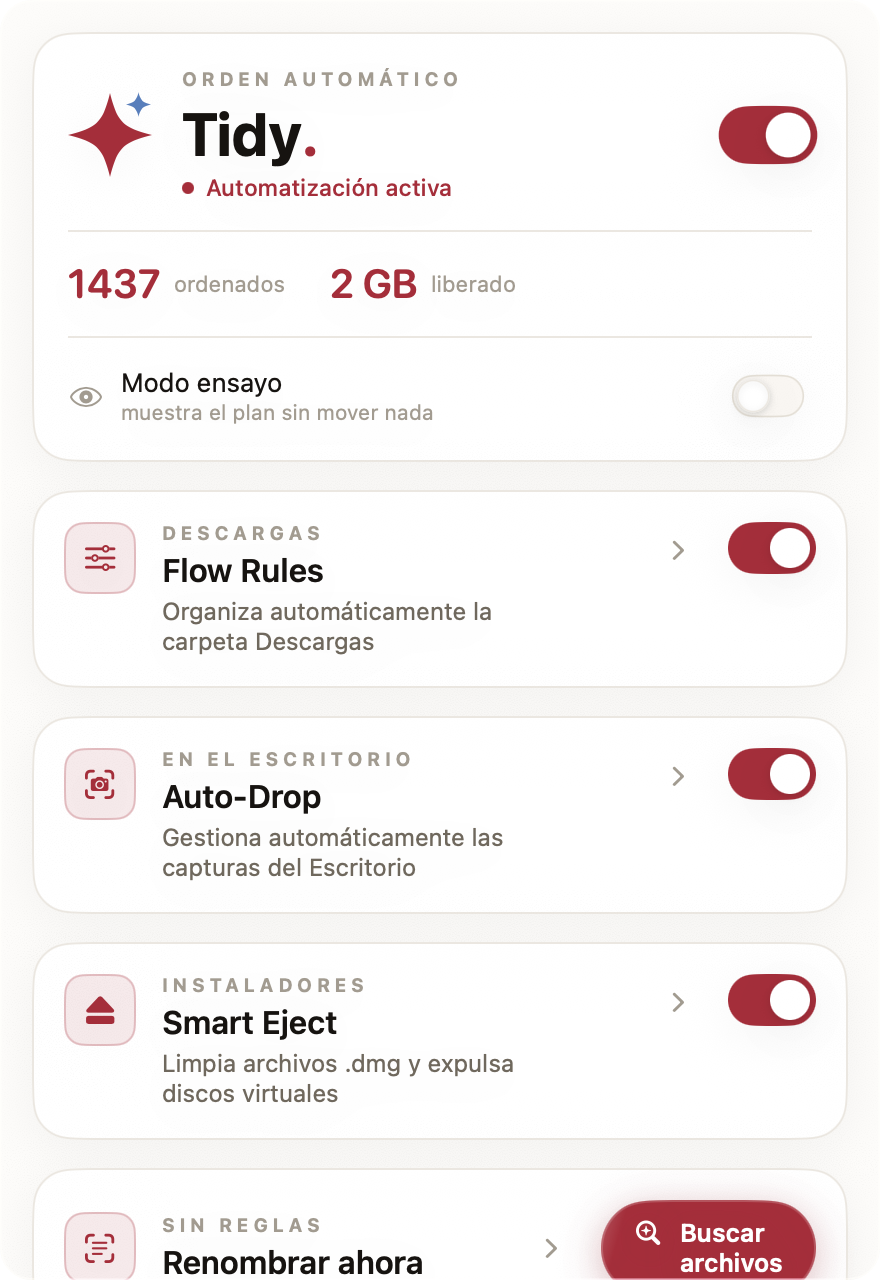
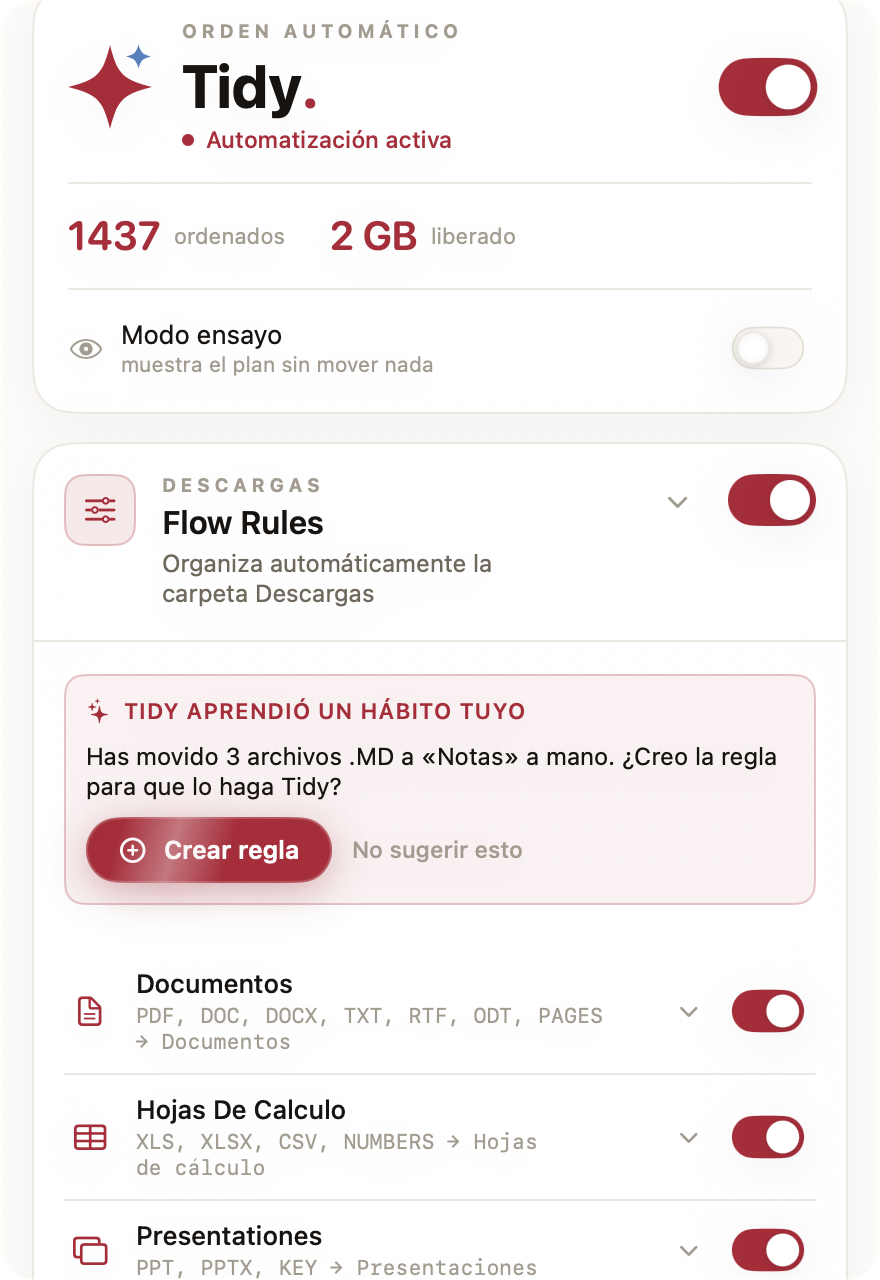
Need a specific screen, another language, or dark mode? Email me — I'll capture it within the day.
Hooks, facts, screenshots and the icon — use any of it, no permission needed. Questions, a review copy, or a screenshot in another language or dark mode: hola@tidymacapp.com. I reply fast, usually within the day.
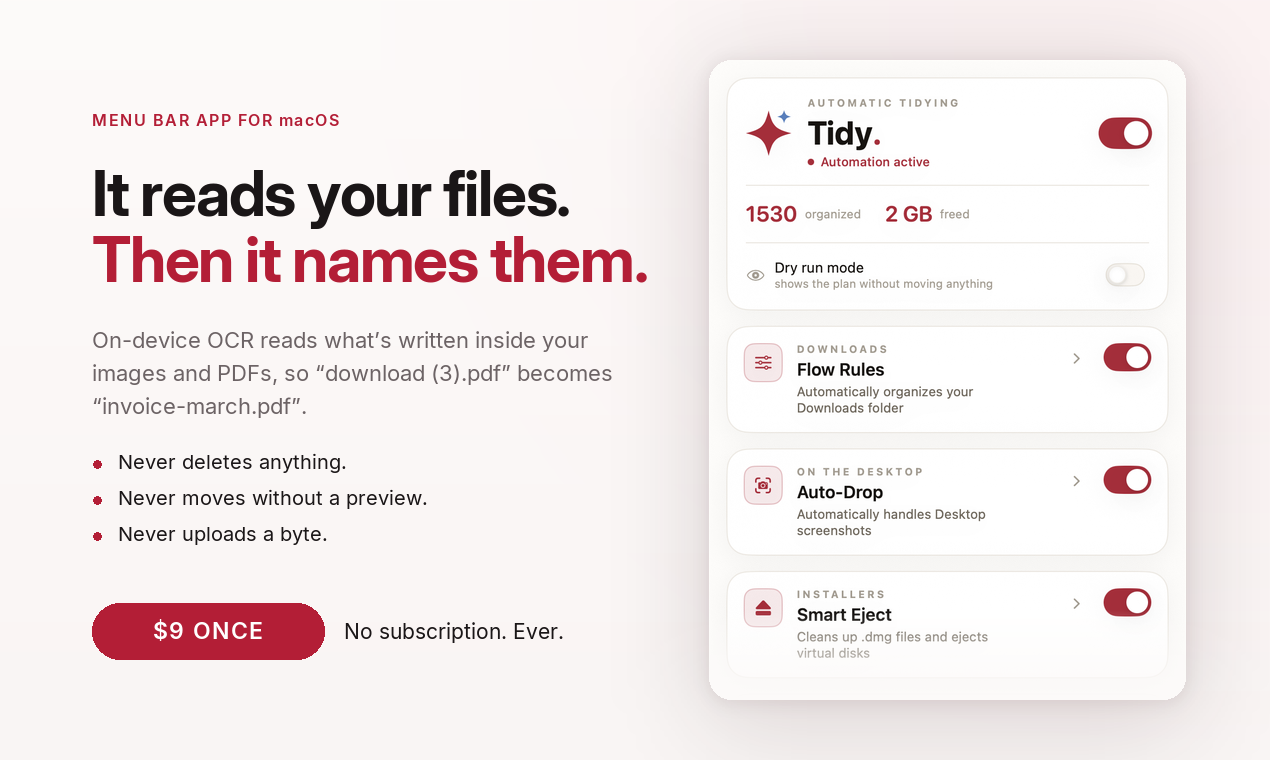
Tidy names your files by what's inside them — on-device OCR turns "Screenshot 2026-08-02 at 11.20.13.png" into "invoice-mueller-gmbh.png".
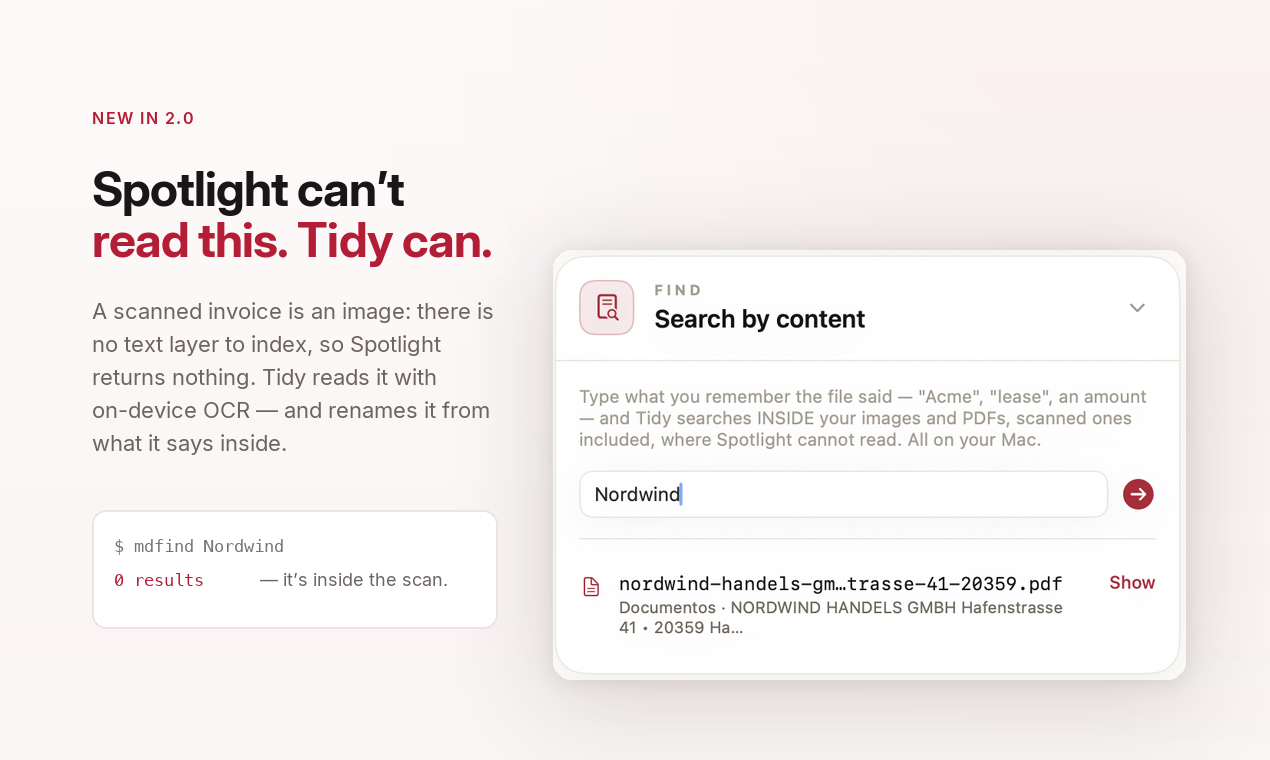
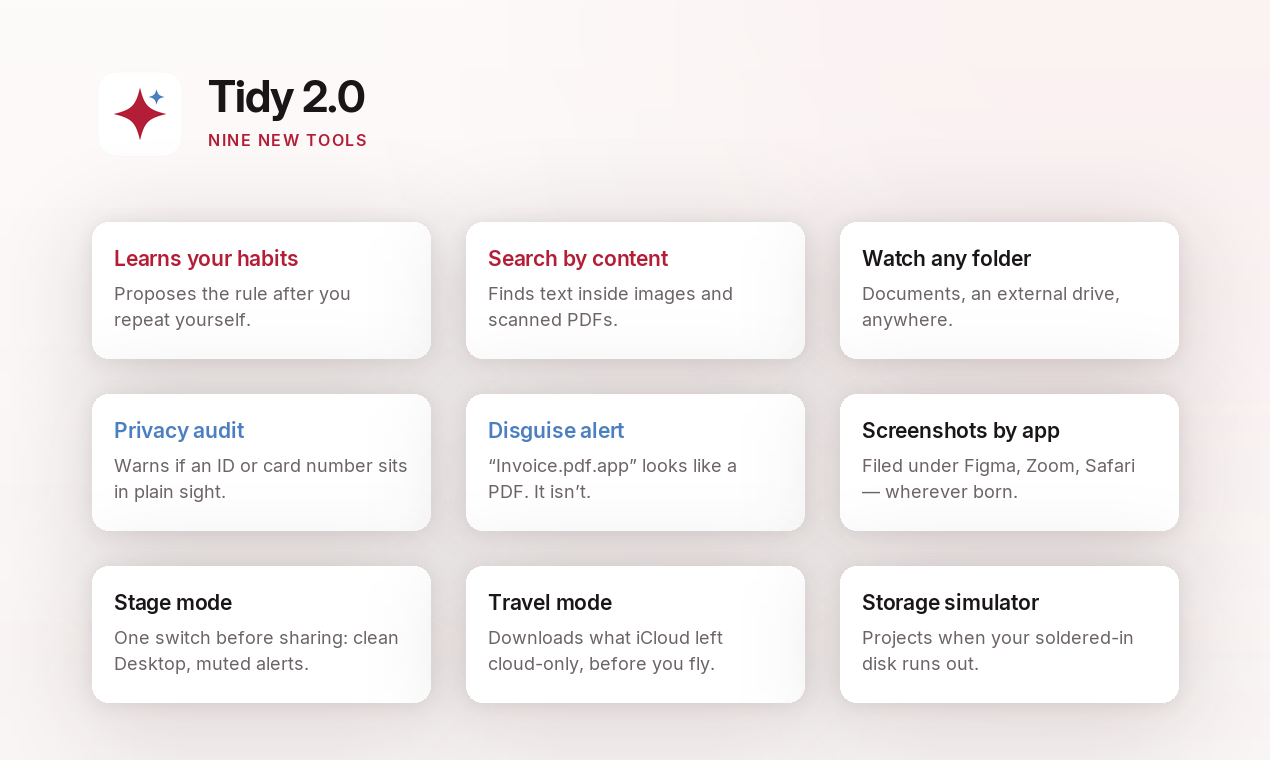
It searches text inside scanned PDFs — which macOS never OCRs for Spotlight — and inside screenshots, with its own instant local index (Spotlight's image indexing is partial and can lag by days).
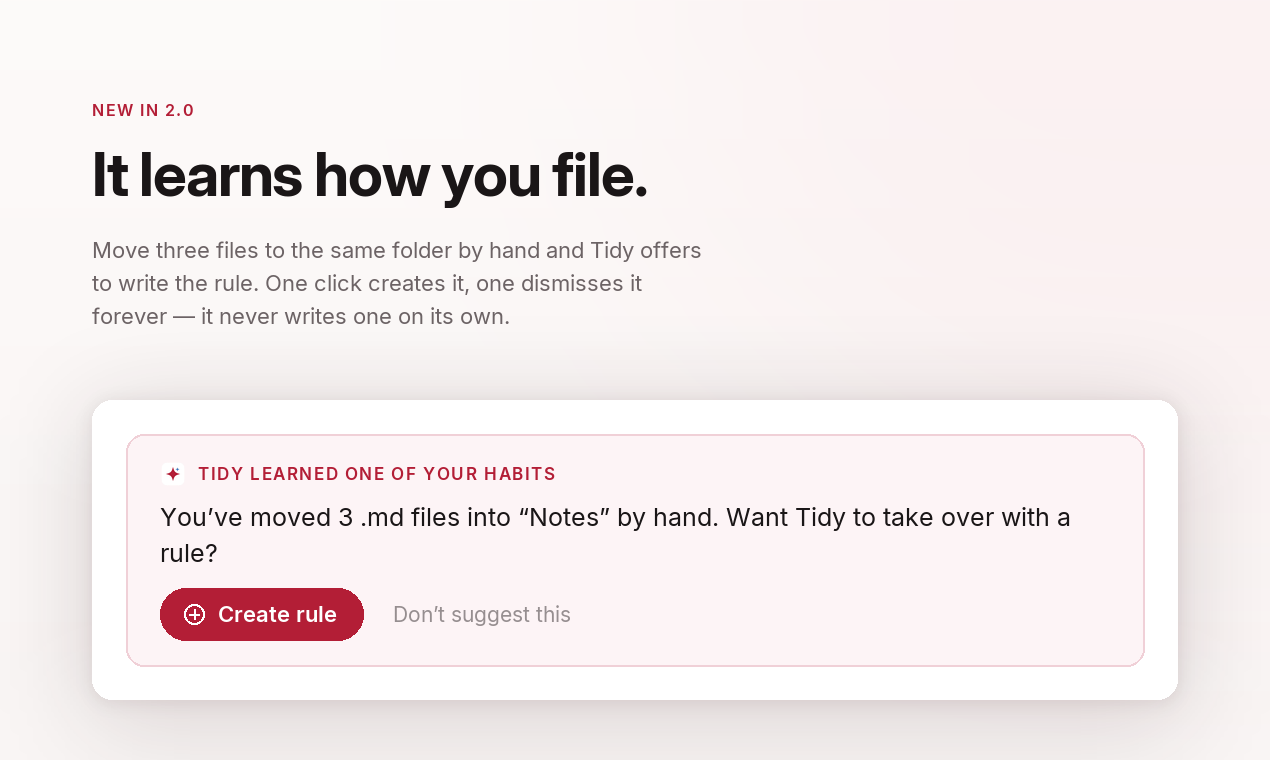
It watches how you file and proposes the rule — one click creates it, one dismisses it forever. It never acts on its own, never deletes, and every run undoes in one click.
Your iPhone is the scanner: a live outline shows the page it can see, several shots become one multi-page PDF, and the file lands in Downloads already named after its contents. No cable, no app on the phone, nothing through the camera roll.
It refuses to invent. Every word in a generated filename must exist inside the document, or the name is thrown away and a plain rule takes over — a guarantee written in code, not in a prompt. On a bench of 37 real documents: 0 invented words.
A menu bar app that reads what your files say inside — with on-device OCR — and names them accordingly. It also scans paper with your iPhone, and keeps Downloads and the Desktop organised on their own.
No subscription, no account. 14-day money-back guarantee.
Released 31 August 2026. Six of the last ten releases came out of one reader's emails; the release cycle is named after him.
Vision OCR and Apple's models run on-device. No files, names or contents are ever uploaded — the only network call is the Sparkle update check against our own domain.
★★★★★
wattblicker.de (DE) · Reviewed by That Apple Guide · Featured in Brett Terpstra's Web Excursions · Covered by MacMagazine (BR)
English, Spanish, German, Portuguese, French — hand-written, not machine-translated.
macOS 14 or later, Apple Silicon and Intel. AI naming uses Apple Intelligence when available; OCR naming works everywhere.
Never deletes (Trash only), only touches files created after install, dry-run preview of every move.
Need a specific screen, another language, or dark mode? Email me — I'll capture it within the day.
Tidy keeps Downloads and the Desktop organised without you thinking about it. It reads what is written inside images and PDFs with Apple's on-device OCR and names each file from its contents; the same local index lets you search inside scanned documents, where Spotlight usually comes up empty. It learns how you file and proposes rules — never acting on its own. It never deletes anything, previews every move in dry-run mode, and any run undoes in one click. Everything runs on the device. $9 once, no subscription. Made by a solo developer in Santiago, Chile.